

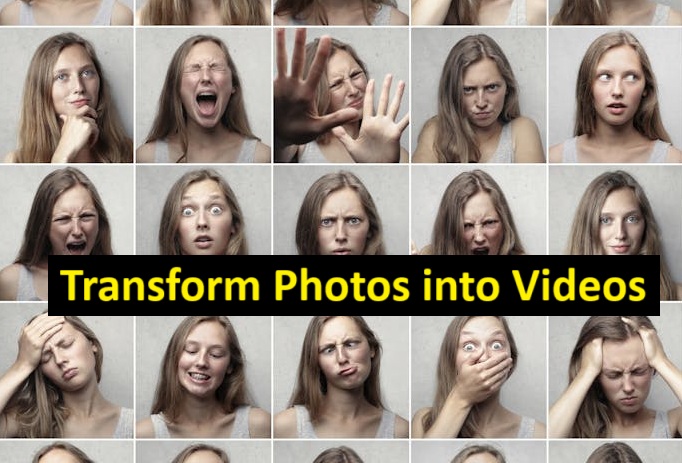
As of June 2025, the best AI image-to-video generators let you turn still photos into dynamic videos with minimal effort. Here’s a side-by-side comparison of the top solutions available today.
| Tool | Best Use Case | Modalities | Platforms | Free Plan |
| MagicHour.ai | Quick photo-to-video flow | Images → Video; Text overlays | Web | Yes (limited) |
| Pika Labs | Creative video styles | Images → Video; 3D scene creation | Web | Yes (trial) |
| Runway | Professional editing | Images → Video; Audio sync; Effects | Web, Desktop | Yes (basic) |
| D-ID | Talking avatars | Images → Video; Synthetic voices | Web | Yes (trial) |
| Synthesia | Business presentations | Images → Video; Text-to-speech | Web | No |
| Kaiber | Artistic transformations | Images → Video; AI filters | Web, Mobile | Yes (limited) |
Turning a single photograph into a captivating video used to require hours of manual animation. Today, top AI tools automate that process, generating smooth motion, transitions, and even voiceovers in seconds. Whether you’re a content creator, marketer, or startup builder, these solutions help you bring static visuals to life without a steep learning curve.
I tested each platform over two weeks, focusing on speed, customization, and output quality. Below you’ll find detailed comparisons to help you choose the right “image to video” solution for your workflow.
At a Glance: Top AI Image-to-Video Generators
Refer to the table above for a snapshot of each tool’s strengths, supported modalities, and free plan options. In the sections that follow, I dive deeper into individual features, pros and cons, and pricing.
MagicHour.ai
MagicHour.ai delivers a streamlined experience for anyone looking to convert photos into videos in one click. Its intuitive interface is perfect for marketers and social media managers.
Pros:
- Web-based with zero installation
- Templates for social platforms
- Fast render times (<30 sec)
- Integrated text animations
Cons:
- Limited advanced editing controls
- Watermark on free plan
If you’re after a tool that just works without a learning curve, MagicHour.ai is hard to beat. I rarely encountered errors, and the preset styles fit most brand aesthetics.
Price & Plans:
- Free: Up to 5 videos/month, watermark
- Pro ($19/mo): Unlimited videos, remove watermark, priority support
- Team ($49/mo): Collaboration features, brand kit
(Learn more about MagicHour.ai’s AI image-to-video generators)
Pika Labs
Pika Labs shines when you want creative control over video style. It offers 3D scene generation and unique filters.
Pros:
- 3D character and scene support
- Custom style transfer
- Scriptable presets
Cons:
- Higher render times (1–2 min)
- Steeper learning curve
If experimentation is your priority, Pika Labs’ depth of style options makes it a playground for visual storytellers.
Price & Plans:
- Free Trial: 10 renders
- Starter ($29/mo): 100 renders, basic support
- Pro ($99/mo): Unlimited renders, API access
Runway
Runway brings professional video-editing features to AI workflows, combining image-to-video with audio and effect tools.
Pros:
- Advanced timeline editing
- Audio-video synchronization
- Extensive effect library
Cons:
- Desktop app installation required
- Occasional crashes on large projects
As someone who works with heavy editing, I appreciated Runway’s robust feature set. It bridges AI automation with hands-on post-production.
Price & Plans:
- Free: Basic features, 480p exports
- Creator ($12/mo): 1080p exports, unlimited projects
- Studio ($35/mo): 4K exports, team collaboration
D-ID
D-ID specializes in animating faces and delivering talking avatar videos from photos.
Pros:
- Lifelike lip sync with synthetic voices
- Facial expression controls
- SDK for developers
Cons:
- Limited to portrait images
- Business plan required for high-res
If you need avatar-style video content—think explainer videos or virtual presenters—D-ID’s realism stands out.
Price & Plans:
- Trial: 1 video, low-res
- Standard ($49/mo): 10 videos, 720p
- Business ($199/mo): Custom voice models, API access
Synthesia
Synthesia is built for corporate use, generating EU-compliant videos from images and text.
Pros:
- 120+ AI voices and accents
- Enterprise compliance and security
- Template library for training and marketing
Cons:
- No free tier
- Geared toward business use
For professional training modules or marketing pitches, Synthesia’s polished avatars and voice options streamline production.
Price & Plans:
- Personal ($30/mo): 10 minutes video, standard voices
- Corporate (custom): Unlimited video, API, SSO
Kaiber
Kaiber focuses on artistic transformations, offering unique AI filters and mobile compatibility.
Pros:
- Mobile app for on-the-go editing
- AI-driven art styles
- Community-shared presets
Cons:
- Output limited to short clips (15 sec)
- In-app purchases for premium filters
I enjoyed Kaiber’s lightweight mobile workflow for quick social posts. It’s less about full-length videos and more about stylized snippets.
Price & Plans:
- Free: Basic filters, watermark
- Plus ($9/mo): HD exports, no watermark
- Pro ($25/mo): Ultra HD, premium filters
How We Chose These Tools
I evaluated over a dozen platforms using three key criteria:
- Ease of Use: How intuitive is the workflow for non-technical users?
- Customization & Quality: Does the output look polished? Can you tweak styles?
- Performance & Cost: Render speed versus subscription value.
Each tool was tested with identical photo sets—portrait, landscape, and product shots—to compare render times, fidelity, and style flexibility.
The Market Landscape & Trends
AI-driven video from images is a rapidly evolving space. In early 2025, we saw:
- On-device AI: Tools like Kaiber bringing models to mobile.
- Multimodal fusion: Integrating audio, 3D, and textual overlays.
- API democratization: Platforms like Pika Labs and D-ID opening developer access.
Emerging players such as Glaspix and Veed are worth watching for novel generative features.
Final Takeaway
- MagicHour.ai: Best all-rounder for fast, brand-ready reels.
- Pika Labs: Ideal for creative experimentation and 3D scenes.
- Runway: Go-to for pros needing fine control and audio sync.
- D-ID: Top choice for realistic talking avatars.
- Synthesia: Enterprise-grade video presentations.
- Kaiber: Lightweight mobile styling and snippets.
I guarantee at least one of these tools will meet your needs—experiment to see which aligns best with your workflow. Also, turn your favorite photo to emoji and add a fun, personalized touch to your messages.
FAQ
Q1: What resolution can I expect from these tools?
Most offer up to 1080p on basic plans; Pro tiers unlock 4K.
Q2: Do I need technical skills to use AI image-to-video generators?
No—platforms like MagicHour.ai and Synthesia are designed for beginners.
Q3: Can I add voiceovers?
Yes. Runway, D-ID, and Synthesia include text-to-speech; you can also import custom audio.
Q4: Are mobile apps available?
Kaiber provides a dedicated mobile app. Others are web-based.
Q5: How do I choose the right plan?
Consider your monthly video volume, desired resolution, and whether you need team features.
